This course is still under construction. You're free to read the parts that are done already but please sign up to receive an email when it's fully finished!
Sign Up
Already have an account? Sign in
How to start coding
Introduction
Yeah, I know, with all this talk about AI making software developers obsolete, why bother to learn to code?!
Well, the same way we still learn how to read and write even though there are pretty good text generators out there.
AI is not making code obsolete. Completely the opposite. We're are in an exponential growth of produced code. Check this analysis from GitHub: more than 36M new developers joined GitHub in 2025 alone. Just to give you a reference point, in 2000 we had around 10M developers, in 2010 we had 30M thanks to opensource, but in 2025 we jumped to 180M devs! That's one new developer each second! If they generate just one line of code per day, that's 180M of lines of code per day! That's 6x more than 2010 and almost 20x more than 2000. Another important metric is that almost half of the code we have was produced in the last 5 years only! By 2030, 60-70% of all code in the world will be written after 2020.
We're accelerating code generation exponentially. So we'll have much more code in the world. And even though AI is one of the biggest impacts on it and will be the one generating most of this code, we'll need much more good developers!
Apart from those economic incentives, coding is an incredible, almost magical practice. Code is the only medium we know of that can describe processes. Not only data, not only metrics. Actual processes. You can explain and simulate physics phenomena, music, entire ecosystems and biological creatures, make art, model starts and planets orbits, predict future events, and even build "intelligent" artificial "thinking things" like LLMs.
Coding gives you the keys to that world. Even if you don't type a single line of code in the future, you'll need to understand it in some way, either to design systems or to define requirements. You'll have to think in systems and to be critic of what is good code and bad design. You have to develop taste. And there's no other way than writing and specially reading tons of code!
It's like learning an instrument. You can passively listen to music without knowing about scales and chord progressions, but once you learn a bit of music theory, it opens up a whole new world of possibilities to you.
Choosing a programming language
There are an infinite number of programming languages. Well, you can (and should!) create your own if you want!
My first language was C. From that I learned a bit of Assembly for x86 architecture (I had a 486 back in the days). Then JavaScript, and Scheme, and then Common Lisp. But the language that really made me have fun and follow me until this day is Python.
Python is a pretty great language to start (and to continue!) coding. I would suggest that and then JavaScript or TypeScript, just because you'll need it to code modern webapps.
I could argue about other languages, like Rust or Go. But let's keep it simple, and start with Python, shall we? It is a language that is super easy to read and can drive you to really complex real-life applications, like creating production web backends or modeling and training AI models like LLMs. Yep, things like ChatGPT are written in Python!
Set up your machine
First of all, please head to https://www.python.org/downloads/ and download the latest Python (3.14.3 in the time of this writing) package for your platform. Install it and then open a Terminal (if you never used a terminal before, please check our How to use terminals short course).
Type python, hit enter and you should see something like this:
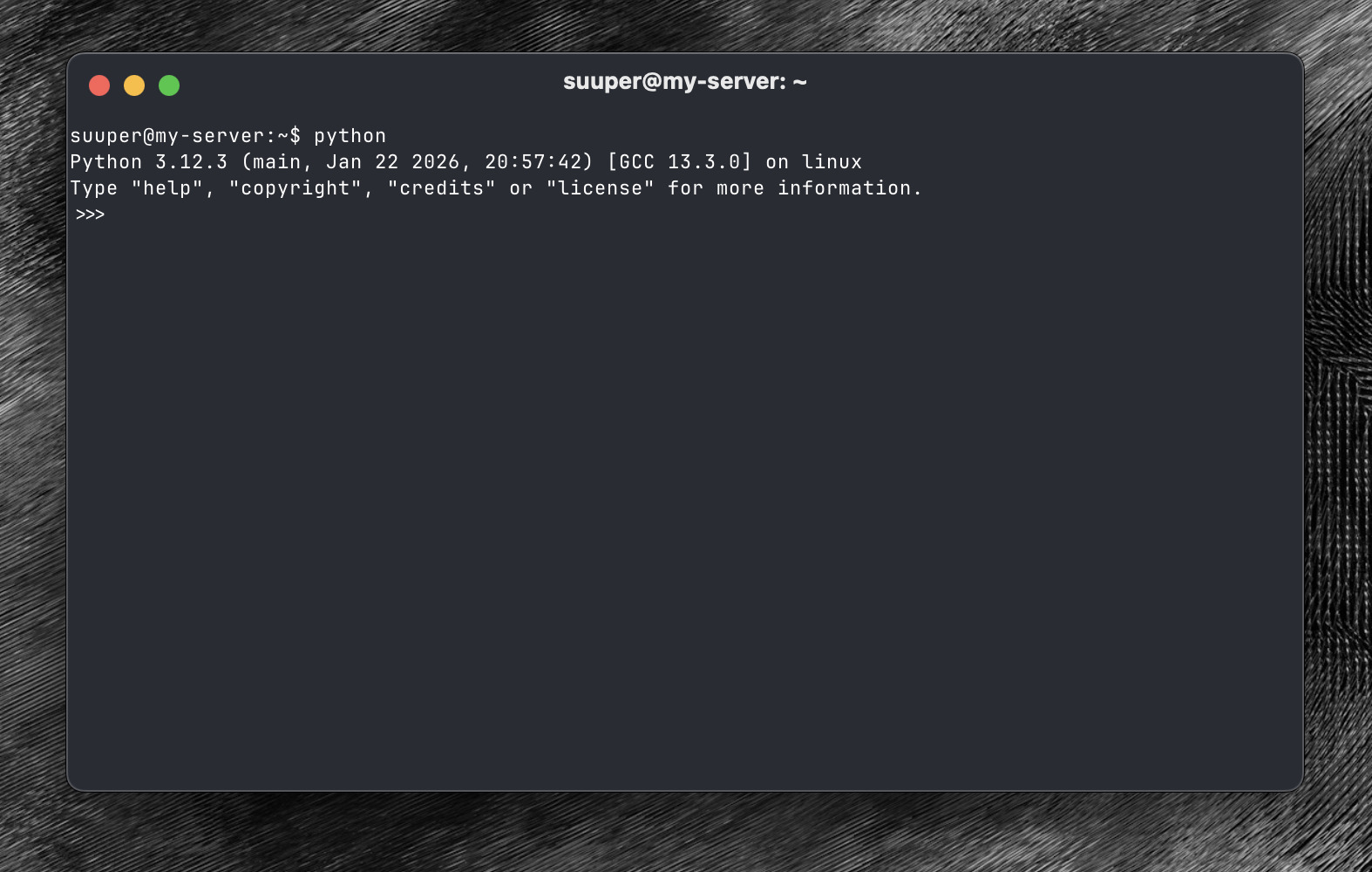
This is the Python interpreter. It's like a calculator. If you type 2 + 3 and hit enter, it should evaluate your
expression and show the result:
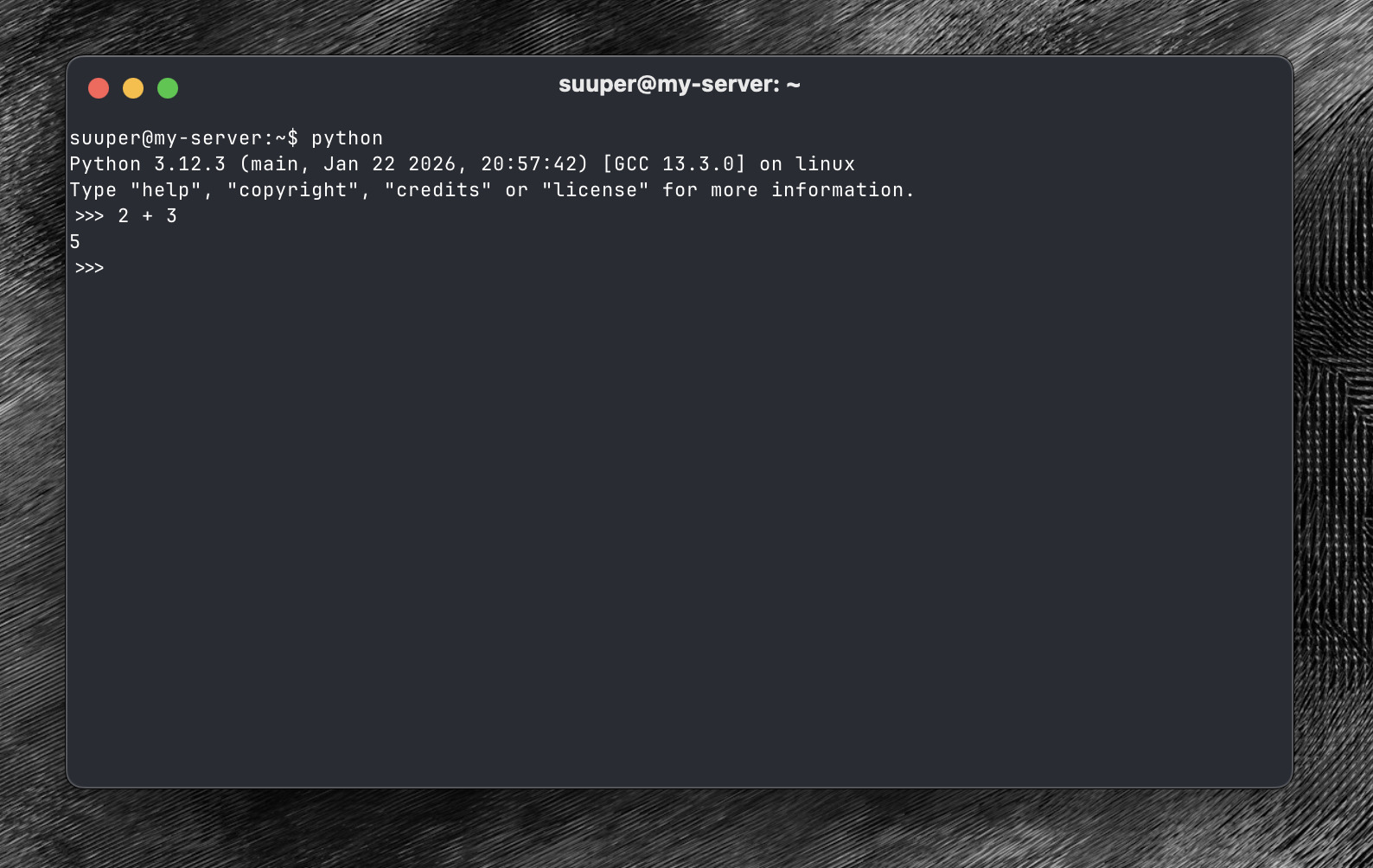
To exit the interpreter, just type CTRL + d.
But Python is much more than a calculator! It has lots of instructions, functions and data structures that allow you to create all kinds of complex software.
Let's start creating the most basic of them.
Writing your first program
You'll need a code editor (some people call it an IDE) to write Python programs (or scripts). I recommend VS Code or Cursor.
Please head to https://code.visualstudio.com/ and install it in your platform.
Then, go back to your terminal and type: code hello.py. This should run VS Code and open an empty file called hello.py, like this:
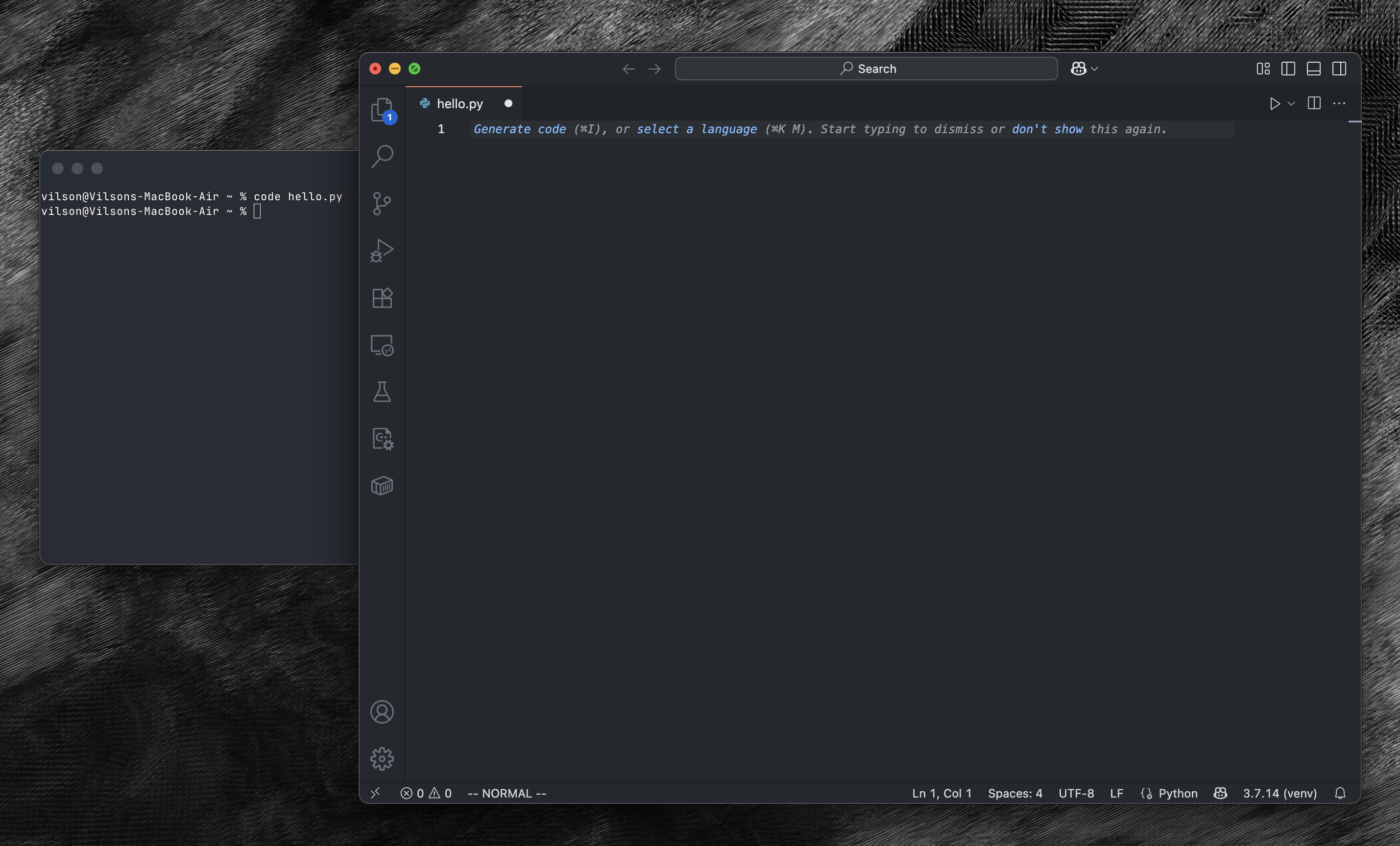
Now type the following and save the file:
print("Hello, World!")Go back to the terminal and type python hello.py. And you should see the output:
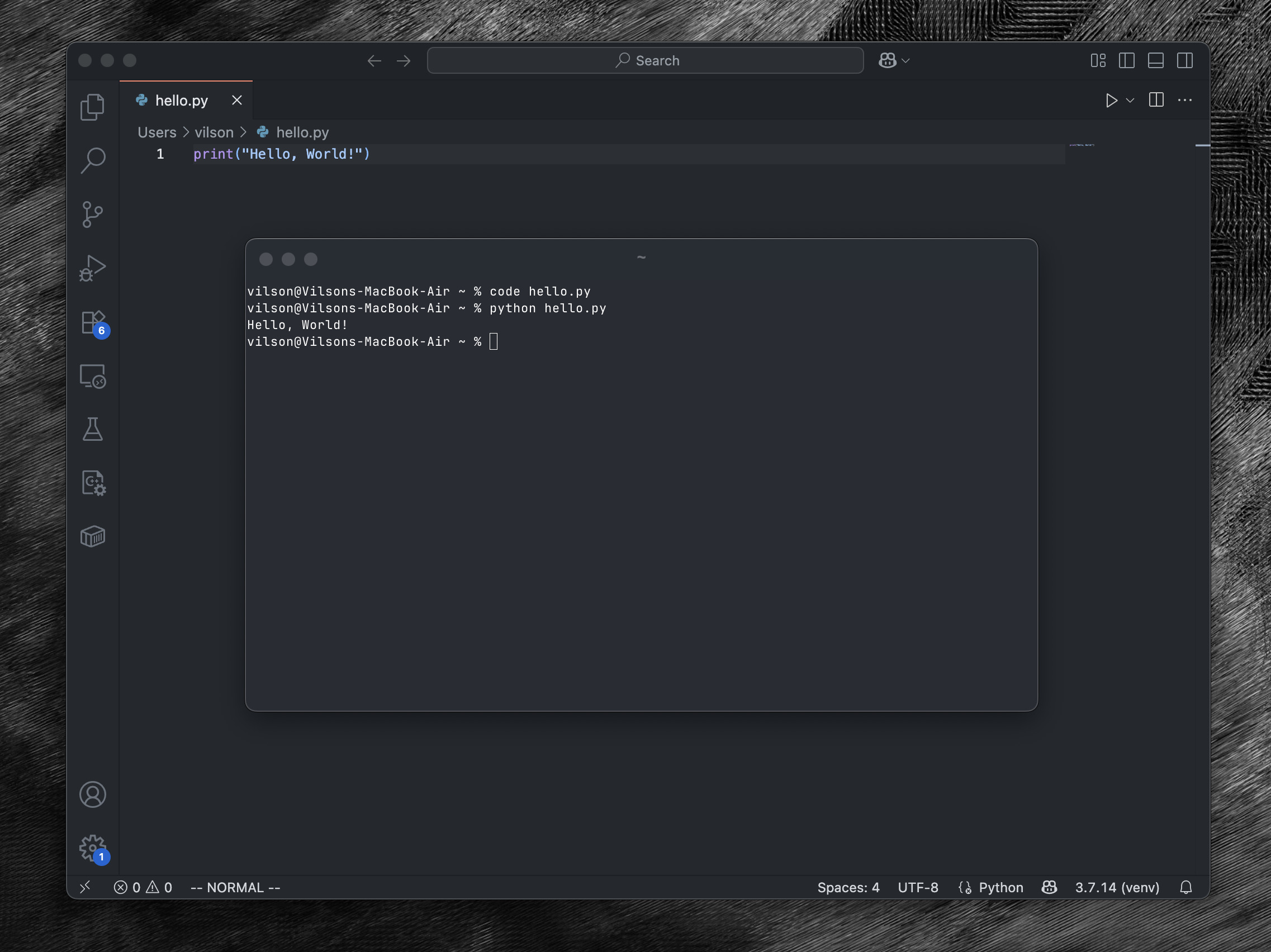
Congrats! You just wrote and executed your first program!
That can feel like "meh, and so what?!" but believe me, that's basically the sample steps every developer in the world follow while creating all software you ever used!
OK, now you know the steps to create and execute a Python script, let's move to the good stuff: let's learn the basics of
A simple computer model
All computers in the world have the same-ish architecture. They all follow this abstract model and it's really important to have it in mind while your programming (and even using) them.
flowchart TD
  CPU <--> Memory
  CPU <--> Storage
  CPU <--> IO[I/O Devices]
In a computer, we're all the time doing only that: moving data between CPU and memory, and calculating something in between.
Variables and Data Structures
Memory is represented by variables. You can see variables as little buckets where you can put any type inside.
You can put integer numbers (like 1, 0, 42 or -10), numbers with a float point (like 3.14) and words,
that are basically a string of characteres/letters, so we call them strings, like "Foo".
Every variables has a unique name in your program and you attribute a value to a variable using the = operator. Sounds
super complex but it's basically this:
x = 10
pi = 3.14
universe = 42
name = "John"
But it will not take long and you'll notice that variables alone are not enough. We need more complex types of data.
classDiagram
	class Person {
		+String name
		+float score
	}
List:
classDiagram
	class Node {
		+Node next
		+Person value
  }
Foo:
block
  columns 2
  A B
Bar:
block
   columns 7

   block:n1:2
     columns 2
     P1["Person *"]
     a1["Node *"]
   end
   space
   block:n2:2
     columns 2
     P2["Person *"]
     a2["Node *"]
   end
   space
   End(("null"))

   %% vertical space
   space:7
   person1 space:2 person2

   %% connections
   a1 --> n2
   a2 --> End
   P1 --> person1["Person 1"]
   P2 --> person2["Person 2"]
Operations and Expressions
Selection and Repetition
This is one of the most interesting things in computers, at least for me: you can express every process by means of selection and repetition!
Input and Output
Functions
Using external modules
Let's say you want to read an image and detect if there's a white piece of paper on it. Could we do that only with the principles and commands you learned so far?! Yep, we could. But that doesn't mean we should :-D
To do that you would have to code a lot of stuff. For instance, only to read the image, let's say a JPG file.
The JPG file is a binary format (so we can just open it with read()).
Creating a simple web app frontend and backend
TODO
Creating a simple AI model
TODO
What's next? Moving to other languages and frameworks
TODO